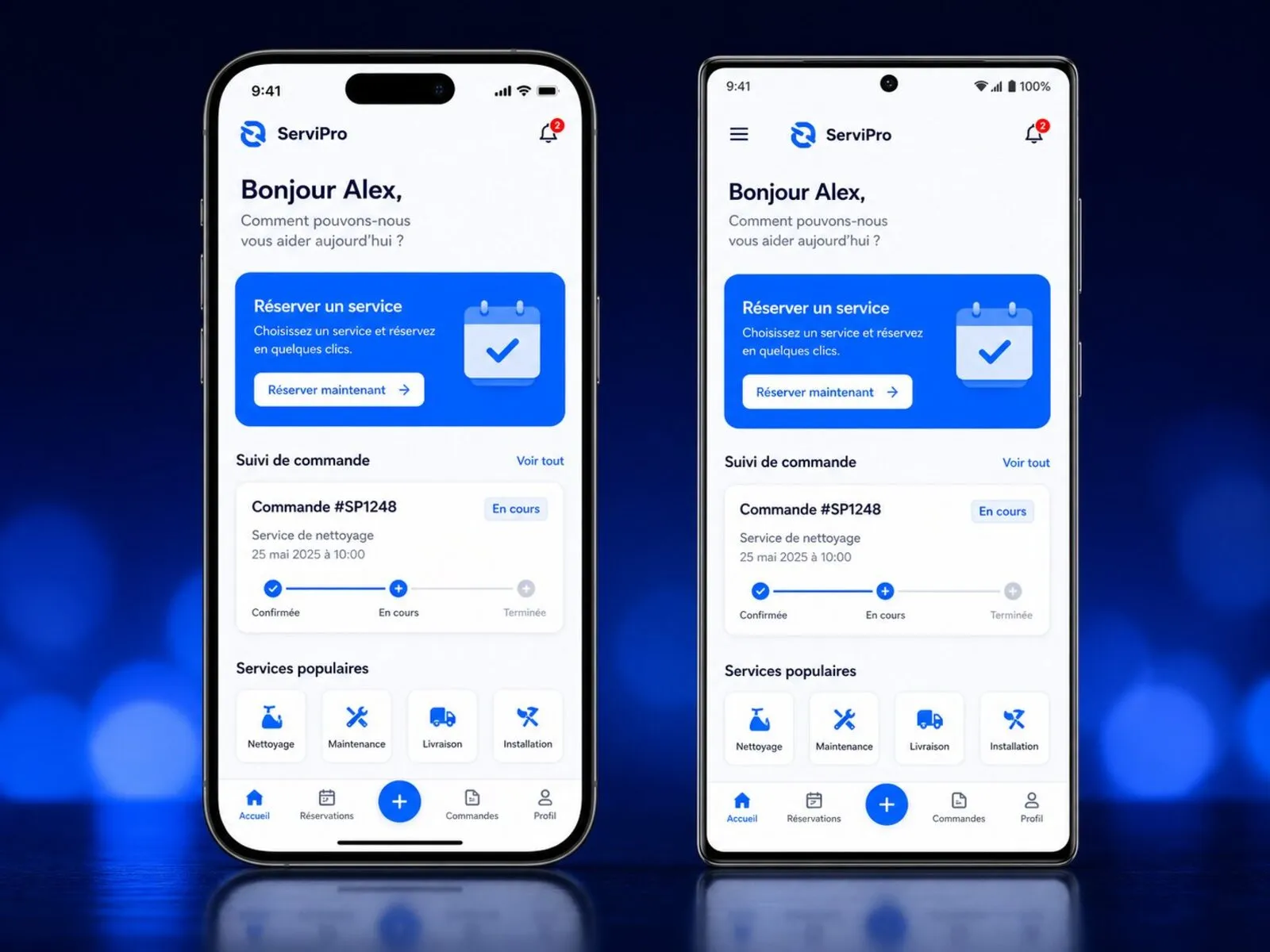
Once reserved for large corporations, custom mobile applications have become a direct driver of field productivity and customer retention for SMBs: technicians working offline on job sites, customers reordering in two taps, or targeted push notifications replacing manual follow-ups. Choosing the right technical architecture from day one avoids paying twice for the same build.
Why do SMBs launch a dedicated mobile application?
A responsive website is ideal for presenting your business and capturing Google search traffic. However, as soon as usage becomes frequent or operational, mobile browsers hit real limits. An app installed on an iPhone or Android home screen unlocks three decisive advantages.
Field workflows a standard website cannot handle
Sales reps, logistics drivers and field technicians regularly work in warehouses, basements or job sites with patchy 4G/5G reception. A well-engineered mobile app stores data locally (encrypted offline mode), scans barcodes or QR codes, captures timestamped photos, records on-screen client signatures and syncs reports automatically as soon as connectivity returns.
Customer retention through targeted push notifications
Where promotional emails rarely exceed a 20–25% open rate, a helpful push notification — booking confirmation, live delivery status, restock alert — is read within minutes. For specialty retailers, service networks or repeat B2B ordering, a mobile app reduces reliance on paid ad campaigns.
PWA, Cross-Platform or Pure Native: which stack fits best?
Your technology choice accounts for up to 40% of your initial build budget and ongoing maintenance costs. Here is how to decide objectively based on your business case.
Cross-platform (Flutter or React Native): the sweet spot for 85% of SMBs
Publishing on both iPhone and Android used to require funding two separate engineering teams (Swift for Apple, Kotlin for Google). Modern frameworks like Flutter and React Native compile a single shared codebase natively for both iOS and Android: smooth 60/120 fps animations, full access to camera, GPS, Face ID / Touch ID and push notifications, while cutting ongoing feature costs nearly in half.
When to choose a PWA or 100% Pure Native (Swift / Kotlin)
- Progressive Web App (PWA): ideal for lightweight internal tools deployed instantly without App Store / Google Play review, when deep hardware sensors (background Bluetooth, NFC) are not required.
- Pure Native (Swift / Kotlin): best suited when your app relies heavily on low-level hardware APIs (industrial Bluetooth Low Energy devices, ARKit/ARCore augmented reality, real-time audio/video processing or on-device ML).
How much does mobile app development cost?
Your budget depends on screen count, external software integrations (ERP, CRM, e-commerce) and web admin back-office scope. At Prime Vision Solutions, our starting prices (excl. VAT) for iOS & Android mobile app development are published transparently:
| Package | Typical Scope | Indicative Timeline | Starting Price (excl. VAT) |
|---|---|---|---|
| Cross-Platform MVP | Shared iOS & Android codebase (Flutter / React Native), up to 8 core screens, secure auth & store launch | 4 to 6 weeks | From 3 900 € |
| Complete Mobile App | Full user journeys, push notifications, offline sync, camera/GPS/QR, secure API & web admin portal | 2 to 3 months | From 7 900 € |
| Native / Advanced Ecosystem | High-performance Swift/Kotlin or hybrid, real-time ERP/CRM sync, IoT or on-device AI, automated QA | 3 to 5 months | From 14 900 € |
Want to see how each module (authentication, offline mode, Apple Pay / Google Pay, live chat) affects your budget? Try our interactive Mobile App Simulator for an instant live estimate.
5 steps to a smooth App Store & Google Play launch
Many mobile projects stall at the finish line because Apple and Google review guidelines were not anticipated early enough. Our process secures each milestone before moving to the next:
1. Functional scoping & clickable mobile prototype
Before writing code, we design every screen and validate user flows on an interactive prototype (see our UX/UI design service, from 1 900 € excl. VAT standalone). Your team tests the flow right on their phone and refines usability early.
2. Secure API architecture & GDPR compliance
A mobile app relies on a secure backend API and a database hosted in Europe. We implement encrypted token authentication, granular role permissions and mandatory Apple/Google in-app account deletion compliance.
3. Official Apple & Google developer accounts
Plan for official store registration fees paid directly to Apple and Google:
- Apple Developer Program: $99/year (requires a free D-U-N-S number to publish under your company name).
- Google Play Console: $25 one-time registration fee.
We prepare store screenshots, App Store Optimization (ASO) listings, privacy declarations, and manage closed beta testing (TestFlight on iOS, Internal Track on Android) all the way to public approval.
3 mistakes that blow up a first mobile app budget
- Cramming everything into Version 1.0: launch a focused MVP around the 20% of features delivering 80% of business value, then iterate from real user feedback.
- Forgetting the web admin back-office: your team must be able to update pricing, send push notifications or manage user accounts from a browser without calling a developer.
- Ignoring annual iOS & Android OS updates: every autumn, Apple and Google update SDK requirements and security rules. Proactive application maintenance (from 99 € excl. VAT/month on our Balanced plan) keeps your app fast and compliant year after year.
Ready to scope your iOS & Android mobile app?
Describe your customer or field use case in a few lines: we will recommend the most cost-effective stack (PWA, Flutter/React Native or Native) and send a fixed, no-obligation written quote.