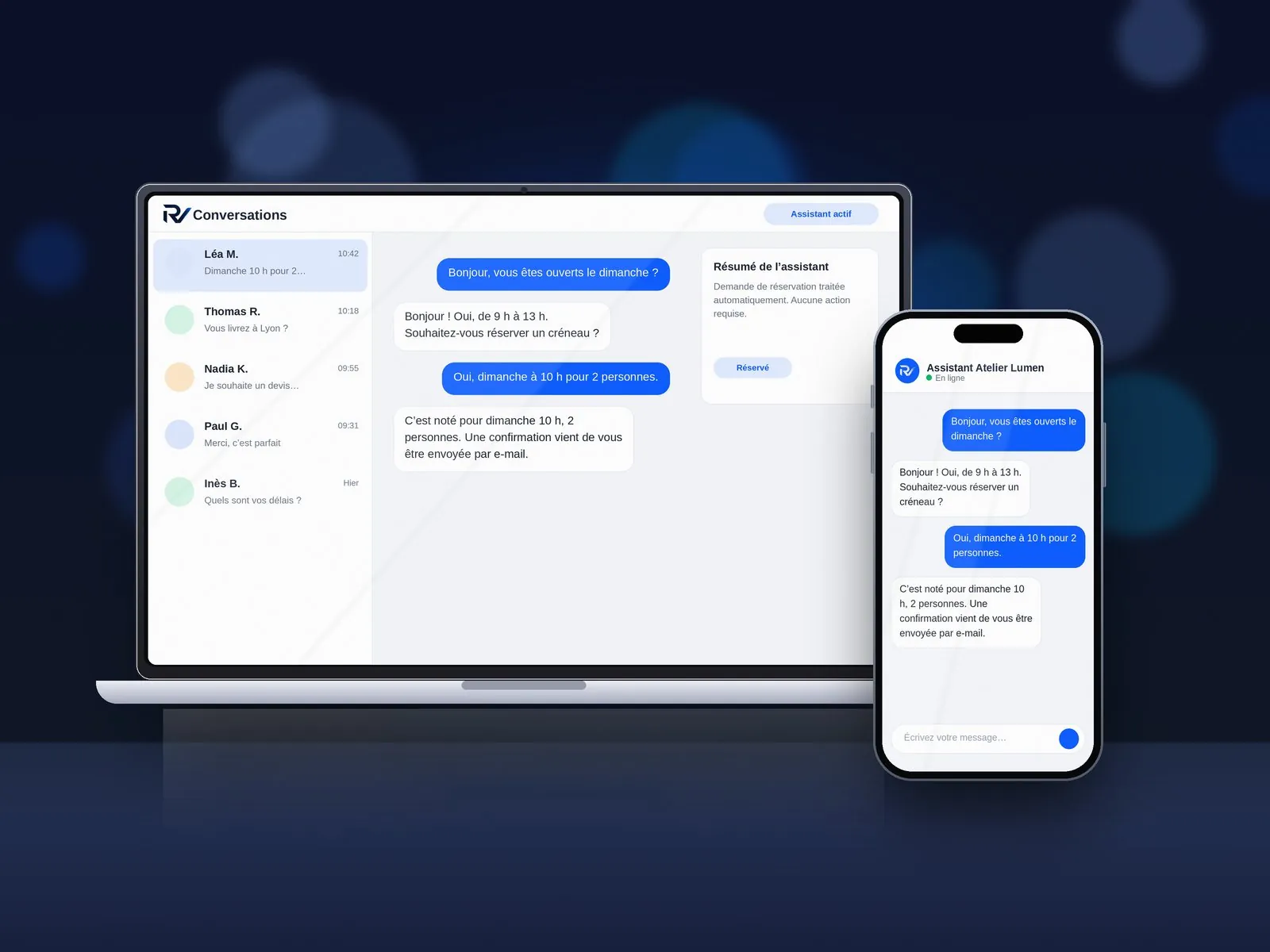
In short: an AI chatbot answers visitor questions 24/7, pre-qualifies enquiries and hands the conversation over to a human whenever needed. Workflow automation, meanwhile, eliminates manual copy-pasting across your software tools. Properly scoped, both save hours every week for an SMB on a very reasonable budget.
Artificial intelligence is everywhere in the headlines — yet what delivers tangible, day-to-day value inside a small or mid-sized business? Here are the highest-impact use cases, essential guardrails and how to start simply.
What does an AI chatbot actually do on a business website?
- Answers recurring questions 24/7: opening hours, ballpark pricing, lead times, service area — evenings and weekends included.
- Qualifies incoming leads: asks the right scoping questions before sending your team a clean, structured lead summary.
- Books appointments or captures quote requests without friction.
- Hands over to a human immediately whenever a question requires personal expertise.
Rule-based chatbot vs. AI assistant: what is the difference?
A traditional chatbot follows rigid button trees. A grounded AI assistant understands natural free-text questions and searches your approved company documents (service catalog, FAQs, terms, coverage zones) to give accurate answers. Flexibility requires strict guardrails: defining exactly what it may answer, what it must decline (such as binding custom quotes) and when to escalate to your team.
Workflow automation: which tasks should you automate first?
Workflow automation executes repetitive administrative steps across your existing tools automatically. The best candidates are frequent, rule-based tasks:
- syncing form submissions into your CRM, spreadsheet or invoicing tool without manual copy-pasting;
- sending instant confirmations, appointment reminders or quote follow-ups;
- categorizing and routing incoming enquiries to the right team member;
- alerting your team on Slack, Teams or email when a high-priority lead arrives.
Start with one high-friction workflow, measure the hours saved each week, then expand step by step.
Essential guardrails & privacy best practices
- Prevent hallucinations: ground the assistant strictly on your verified knowledge base and always provide a one-click human callback option.
- Be transparent: let visitors know clearly that they are chatting with an automated assistant.
- Protect personal data (GDPR): collect only essential contact fields, obtain explicit consent and enforce clear retention limits.
- Review early conversations: refine answers during the first weeks based on real visitor questions.
How much does an AI chatbot or workflow automation cost?
Pricing depends on knowledge base scope, document connectors and third-party app integrations. Our transparent starting prices (excl. VAT):
- Chatbot: starting from 990 € excl. VAT, indicative timeline: 1 to 2 weeks. Answers frequent customer questions, Embedded on your website, Conversation history.
- Connected Assistant: starting from 2 490 € excl. VAT, indicative timeline: 3 to 5 weeks. Connected to your verified documents, Quote qualification & appointment booking, One-click human handover.
- Automation: starting from 1 500 € excl. VAT, indicative timeline: 2 to 6 weeks. Repetitive tasks automated, Cross-app synchronization, Monitoring & alerts.
A written quote fixes the exact price before work begins. Explore our AI chatbots & workflow automation page or test 4 live industry bots in our Interactive AI Chatbot Demo.
How to get started with zero risk
- List your top 10 recurring prospect questions and the manual admin tasks eating up your week.
- Pick one focused pilot: qualifying leads on your website or automating one key internal handoff.
- Launch a controlled scope, measure time saved and lead quality, then scale.
Frequently asked questions
Does an AI chatbot replace my human team?
No. It absorbs repetitive questions 24/7 so your team can focus on high-value client conversations, with seamless human handover built in.
Do I need a high-traffic website to benefit from a chatbot?
Not at all. Converting even a handful of evening or weekend visitors who would otherwise bounce without filling out a long form quickly pays back the setup.
Is customer data kept secure and GDPR-compliant?
Yes — data minimization, explicit user consent and GDPR-compliant hosting are built into scoping from day one.
Let’s discuss your AI or automation project
Tell us which questions or tasks you want to automate: receive a clear, fixed-price written quote with zero obligation.